READ Action Not Allowed Error
This guide provides step-by-step instructions for resolving the common error: “The action READ is not allowed on object {{OBJECT}}”
Problem Description
When accessing certain pages or features in your Maximo Mobile application, you may encounter an error message stating:
The action READ is not allowed on object {{OBJECT}}
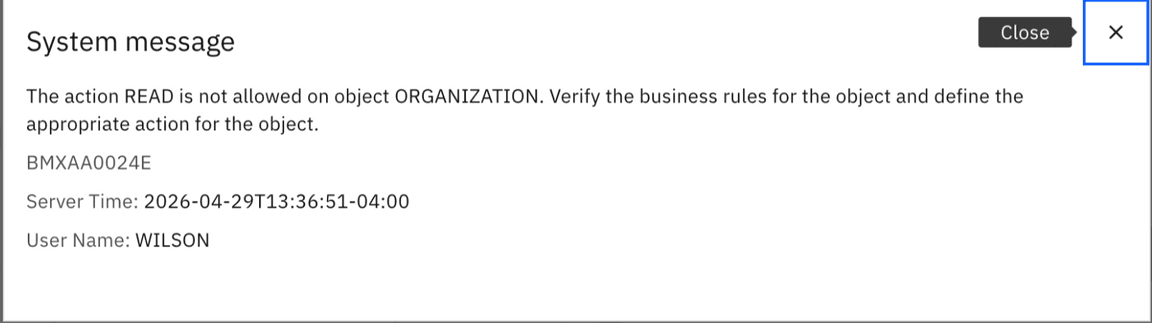
This error occurs when the user has not been granted the proper READ access to specific object structures in Maximo.
Resolution Steps
Follow these steps to grant the necessary READ permissions:
Step 1: Navigate to the Problem Page
In your browser, connect to the application and navigate to the page that is throwing the exception.
Step 2: Identify the Object Structure
Open the browser’s Network tab (usually accessible via F12 or Developer Tools) and find which network call is throwing the same error message. Make note of the object structure that is being used.
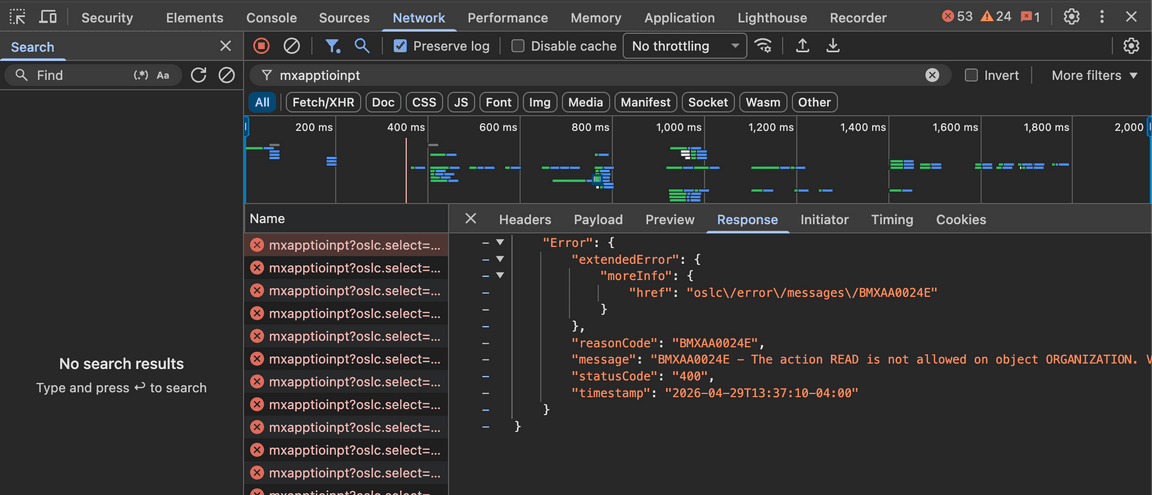
Tip: Look for failed API calls (typically shown in red) and examine the response to identify the specific object structure mentioned in the error.
Step 3: Access Security Groups in Maximo
Log into Maximo and proceed to the Security Groups application. Drill down into the appropriate security group you wish to grant access to.
Navigation: Go to Security Groups application → Select the relevant security group → Click to open details
Step 4: Locate the Object Structure
Expand the Object Structures tab and search for the object structure from the failed network call you obtained from Step 2.
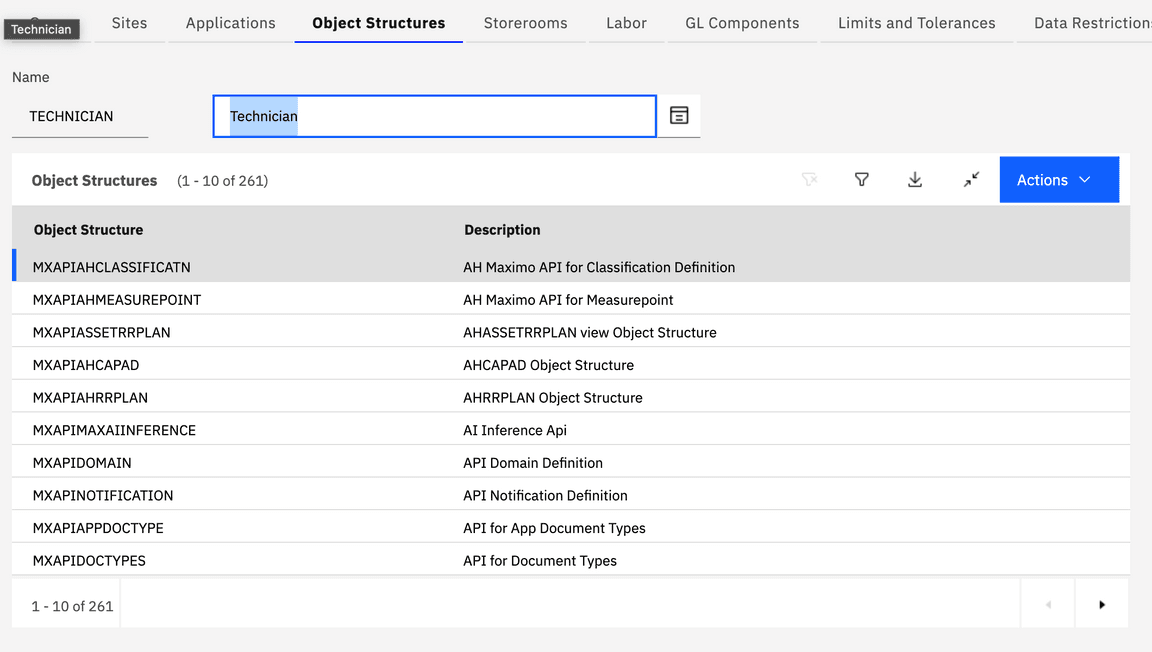
Step 5: Grant READ Access
Once you’ve located the correct object structure, grant READ access by checking the appropriate permission box.
Important: After granting permissions, users may need to log out and log back in for the changes to take effect.
Summary
This issue is resolved by:
- Identifying the specific object structure causing the error
- Locating the user’s security group in Maximo
- Granting READ permissions for that object structure
If you continue to experience issues after following these steps, verify that:
- The correct security group was modified
- The user is assigned to that security group
- The user has logged out and back in to refresh their permissions