BDI Status Dialog
Overview
The BDI Status dialog enables a user to view details on the status of a configuration managed asset.
In addition it can be used to:
- Make a synchronous call to the BDI to validate the asset and update its configuration status.
- Validate an alternate configuration to undertand what problems may result in changing an assets configuration.
- Change the configuration of an Asset by changing it's Model and/or Variant or applying a Role.
- View information about Asynchronous Jobs created by the BDI to perform actions against the Asset such as generating work orders.
Details on the three tabs which make up the BDI Status dialog can be found in the other pages of this section.
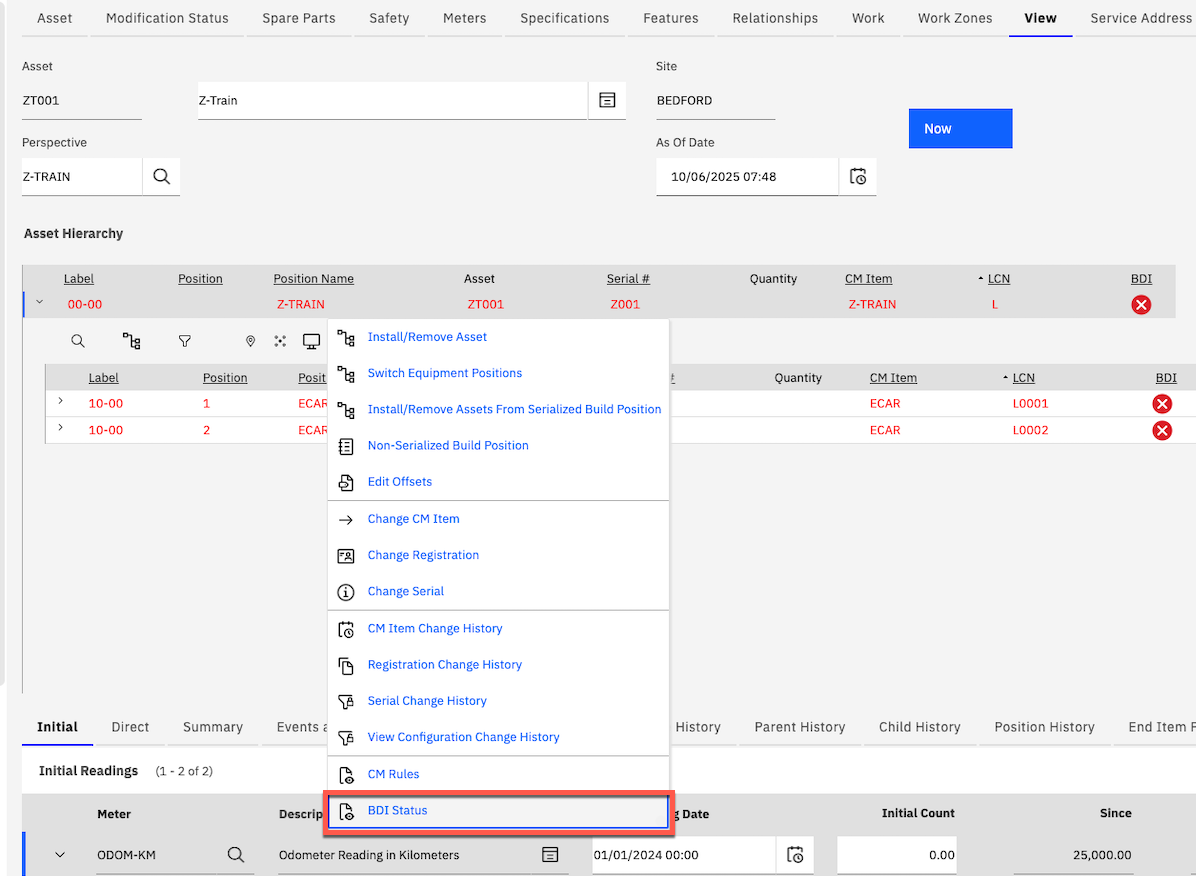
The BDI status dialog is accessible in the Assets (CM) application. It can be opened by right clicking a node in the Asset Hierarchy and clicking the option ‘BDI Status’ in the context menu (as shown below).