BDI Status Dialog
The "Current Configuration" tab is used to understand details on the current configuration status of a configuration-managed asset. The tab provides an overall configuration status as well as information on what problems currently exist for the asset.
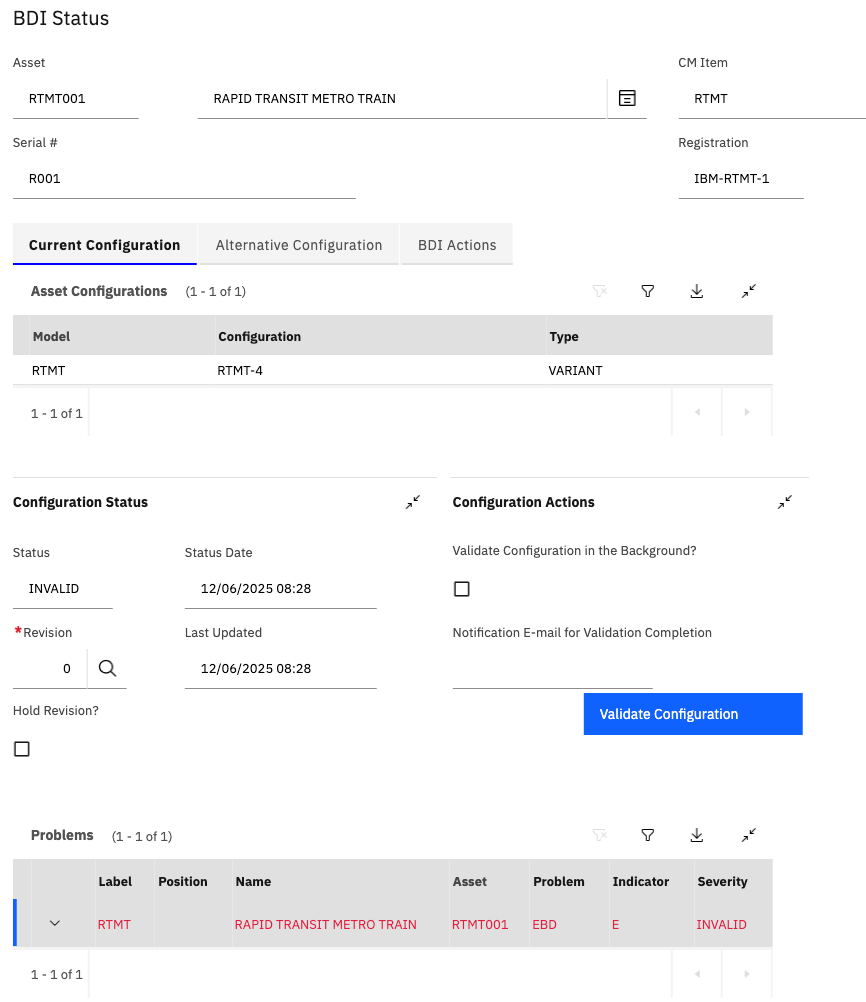
Asset Configurations
The "Asset Configurations" table displays the current Model and Configuration(s) which are applied to the Asset.
Configuration Status
The "Configuration Status" section displays:
- Status - The overall Configuration Status.
- Status Date - The date and time the configuration status was assigned it's current value.
- Last Updated - When the BDI last validated the asset.
- Revision - The current revision of the Model applied to the Asset.
- Hold Revison - Can be used to ensure a specific revision of the Model is applied to the asset (not auto-upgraded to the latest active revision)
The Status has four possible values:
| Status | Description |
|---|---|
| OK | The Asset has no problems with its configuation or overdue maintenance. |
| ALERT | The Asset has one or more problems which the user should be aware of but the asset can continue to operate safely. For example, maintenance that is approaching a deadline. |
| INVALID | The Asset has one or more serious issues that should be investigated immediately. For example, This could be invalid parts installed, missing mandatory parts or overdue maintenance. |
| AOG | A special status which indicates a Flight Log Book exists for the Asset with an Aircraft status of GROUNDED. |
Configuration Actions
The Configuration Actions section provides the ability to send a request to the BDI to validate the Asset.
This can be done by clicking the "Validate Configuration" button.
The request can be launched in the background and an email notification can be sent to the user once the request is complete.
Problems
The bottom of the tab lists the problems, determined by the BDI, which currently affect the Asset.
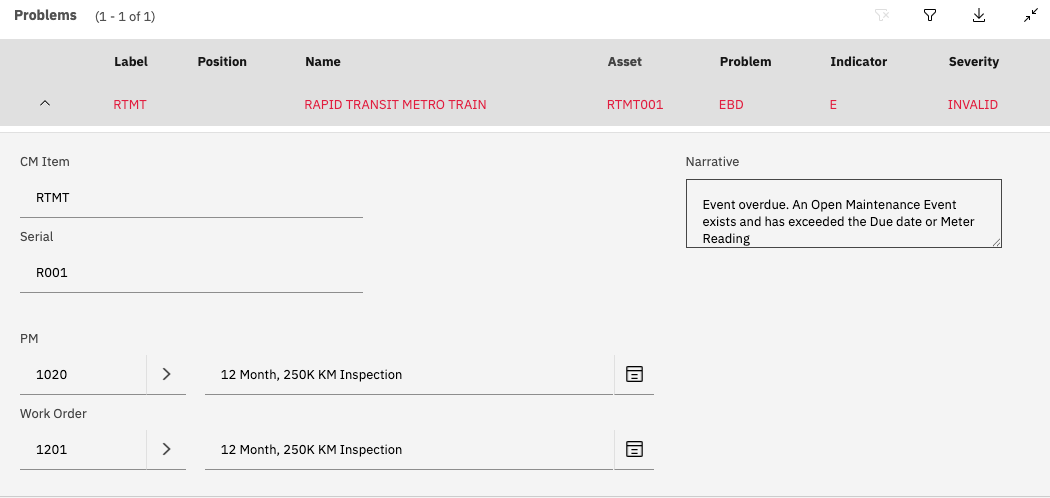
A Problem consists of:
- Problem Code: A 3 character code which indicates the type of Problem.
- Asset Information: Information on what Asset is affected by the problem including Asset number, CM Item Serial Number, Label, Position and Name.
- Severity: The severity of the problem.
- Narrative: A textual description of the Problem.
- PM/Work Order number: Populated for those problems which result from planned or corrective maintainance.