BDI Actions Tab
Overview
The BDI Actions tab displays a list of the asynchronous jobs that have been created by the BDI for the current Asset or its children.
Part of the BDIs repsonsibility is to perform specific actions as a result of the configuration status of an Asset.
Examples include genererating work orders at a pre-determined alert interval or creating a new PM from a Master PM.
The mechanism used to perform these actions is by the use of "Asynchronous Jobs".
The asynchronous job records are stored in the MAXASYNCJOB table and are processed by a dedicated group of Maximo Cron Tasks.
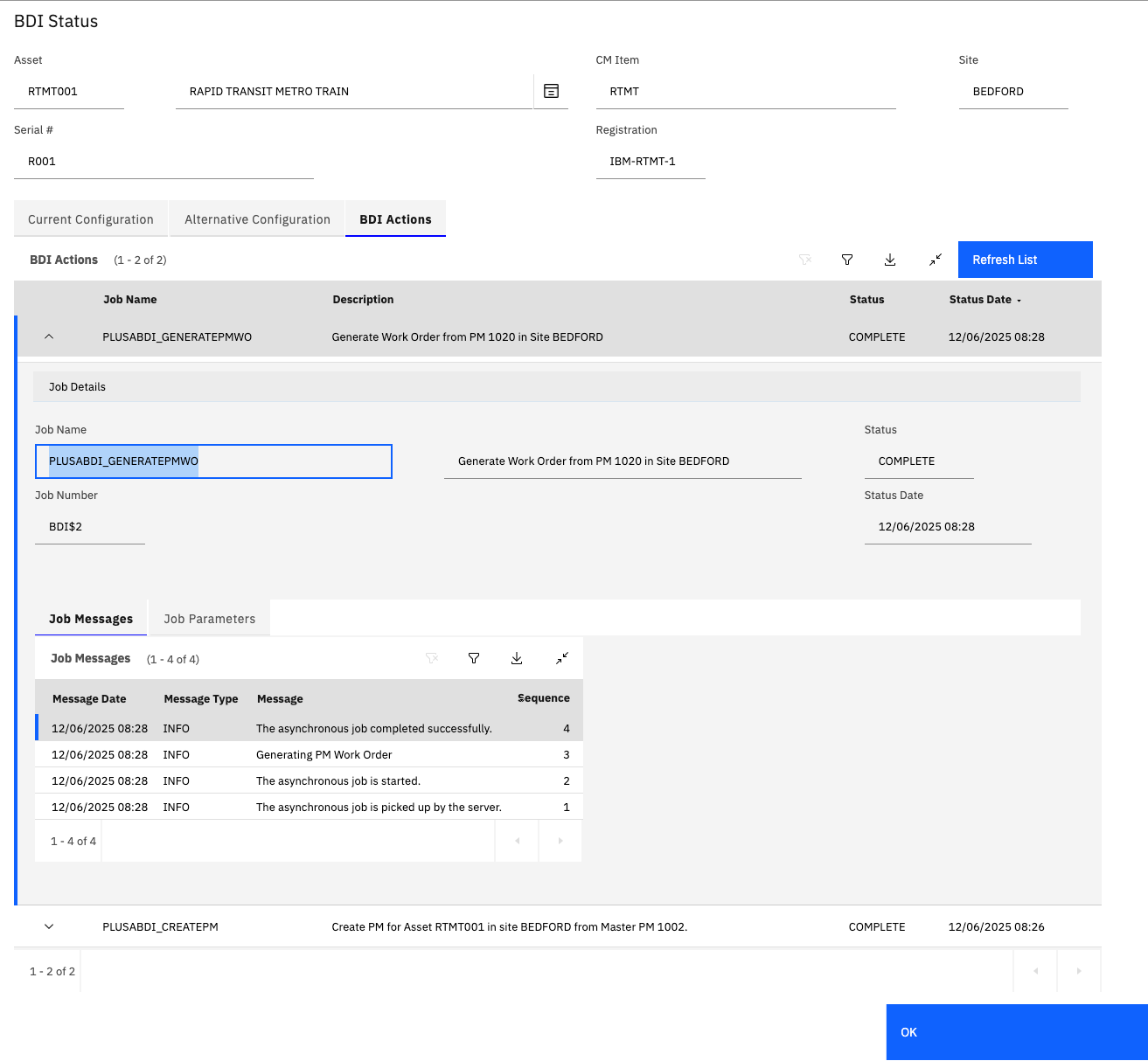
The BDI Actions tab lists the recent jobs, created by the BDI, for the current Asset. Each job has:
- Job Name + Description: The Job name indicates the type of Job and the description provides more context.
- A Status and Status Date indicating when the current status of the Job and when the status was last updated.
Expanding the table row gives additional information about the processing of the job.
- Job Messages: Details the progress of the processing of the job.
- Job Parameters: List the parameters necessary to support the processing of the job.
BDI Action Status Values
The BDI Actions / Asynchronous Jobs have the following 4 possible status values:
| Submit | Description |
|---|---|
| SUBMIT | Job was created by the BDI and is awaiting processing. |
| INPROGRESS | Job is currently being processed by a Maximo BDI Crontask instance. |
| SUBMIT | Job has finished processing successfully. |
| ERROR | An error was encountered during processing of the job. Consult the Job messages for further information. |
A full list of Asynchronous Jobs that can be created by the BDI is provided in a separate section.