Build Hierarchy - Configuration Rules - Position
Overview
The Build Hierarchy and Position Rules tab is also used to define configuration rules related to a Build Positions within the Model.
Position Tab
The information displayed in the "Position" sub tab relates to the selected build position within the build hierarchy.
It is used to define rules and behaviour for the selected position eg. Whether a position is mandatory for a Variant, or whether a position applies to a Variant of the Model.
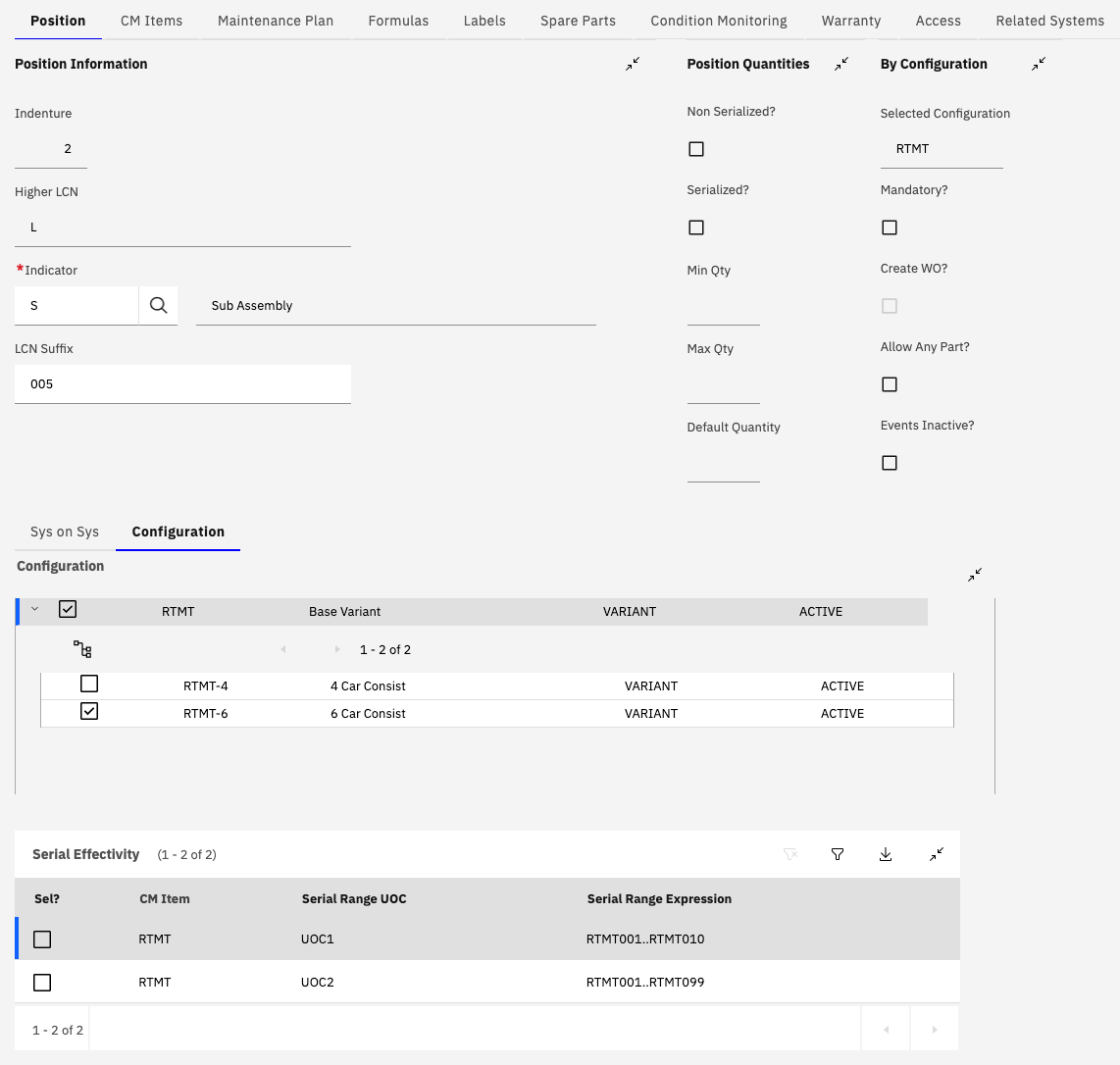
Position Information
The Position Information section gives general information about the Model. The fields within this section of the tab would not normally need to be modified.
Position Quantities
A standard position within a Model is referred to as a sub assembly position (Indicator=S).
A standard sub assembly position provides the ability to install a child asset into the position within the associated asset hierarchy.
In addition to this standard behaviour it is possible to also mark the sub assembly position as associated with a quantity.
There are two distinct ways of defining this which have different behaviour when managing the assets associated with the position:
Non-serialized
If a position is flagged as a "Non-Serialized" position it is used to manage a quantity of non-serialized components.
The Min and Max qty are validated by the BDI and if the quantity recorded against the position is outside of these limits a BDI problem code is raised against the asset position.
The asset which is installed into the position can be considered as a "virtual" asset in that its only use is to be abe to record a quantity against it.
Serialized TODO:
By Configuration
TODO:
Configuration
TODO:
Serial Effectivity
TODO: