Asset Configuration Context
Understanding how Models, Configurations and Revisions are applied to Assets
This topic provides a more detailed explanation of how Models, Variants and Revisions relate to configuration-managed assets.
Every configuration managed asset, within Maximo, is evaluated (by the BDI and the system as a whole) in the context of it's current configuration attributes.
The Models 'Core Concepts' and the Models(CM) application topics have described the concepts of Model, Variants and Revisions and provided an initial view on how these relate to CM assets.
Model, Variant and Revision are the primary attributes that determine the Current Configuration of any configuration-managed asset.
Here we go into more detail on how these primary configuration context attributes are determined for individual Asset records within Maximo.
End Item assets
End Item assets have these attributes explicitly recorded against them (using fields on the ASSET record, detailed in section Core Concepts - Assets).
Non-End Item assets
Non end item assets assume or inherit their current configuration based on a pre-determined priority order.
That is to say, non-end item ASSET records do not explicitly reference a specific Model, Variant or Revision.
This priority order, which determines a non-end item assets current configuration, is as follows:
1. End Item
If the sub assembly asset has an ancestor which is an end item asset (asset above it in the asset hierarchy) that its current configuration is assumed/inherited from the first end item asset above it in the hierarchy.
2. Previous End Item
If the sub assembly has been removed, from a parent end item asset, its current configuration is assumed based on where it was last installed.
3. New Asset Assemblies Record
If the sub assembly has never been installed, as part of a parent end item assembly, its current configuration is taken from the New Asset Assemblies record it was created from.
Initial Configuration
If neither of the 3 situations above are applicable then the system may chose any Model, which references the Assets CM Item, as the context under which to validate the assets.
This may be acceptable if the CM Item is only referenced in a single Model.
If not then it is possible to apply an "Initial Configuration" explicitly to the non-end item asset.
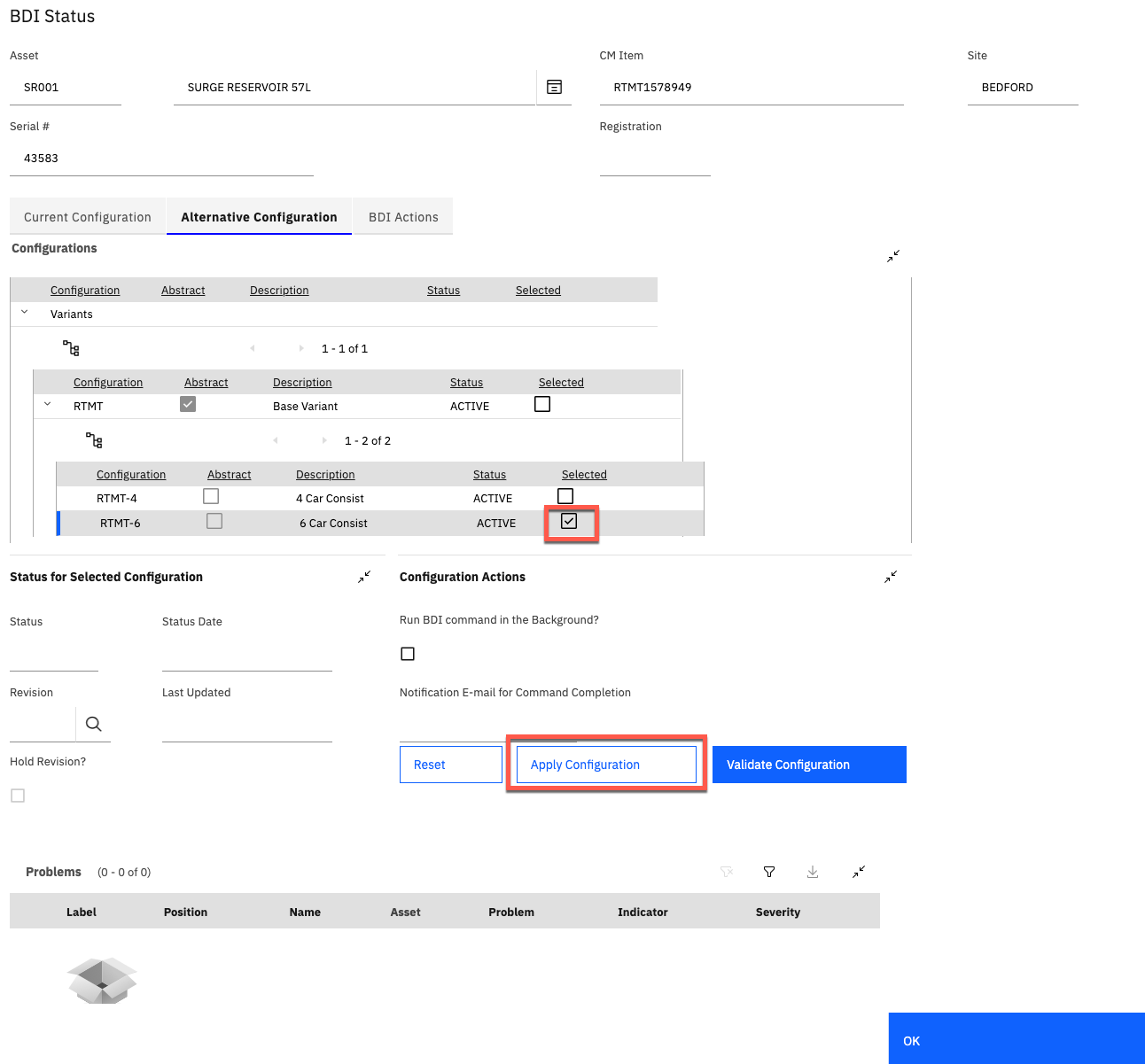
An Initial Configuration can be applied to a non-end item asset using the "Apply Configuration" action button located on the "Alternative Configuration" tab within the BDI Status dialog (found in the Assets (CM) application).
This configuration will then be active against the asset until such time that the asset is installed into a higher end-item assembly.
At this point this Initial Configuration is removed from the asset and point 1 above applies.
BDI Status dialog showing how an Initial Configuration can be applied: